Graphic Designer Resumes That Stand Out (Without Looking Unprofessional)
Your resume and your portfolio have different jobs
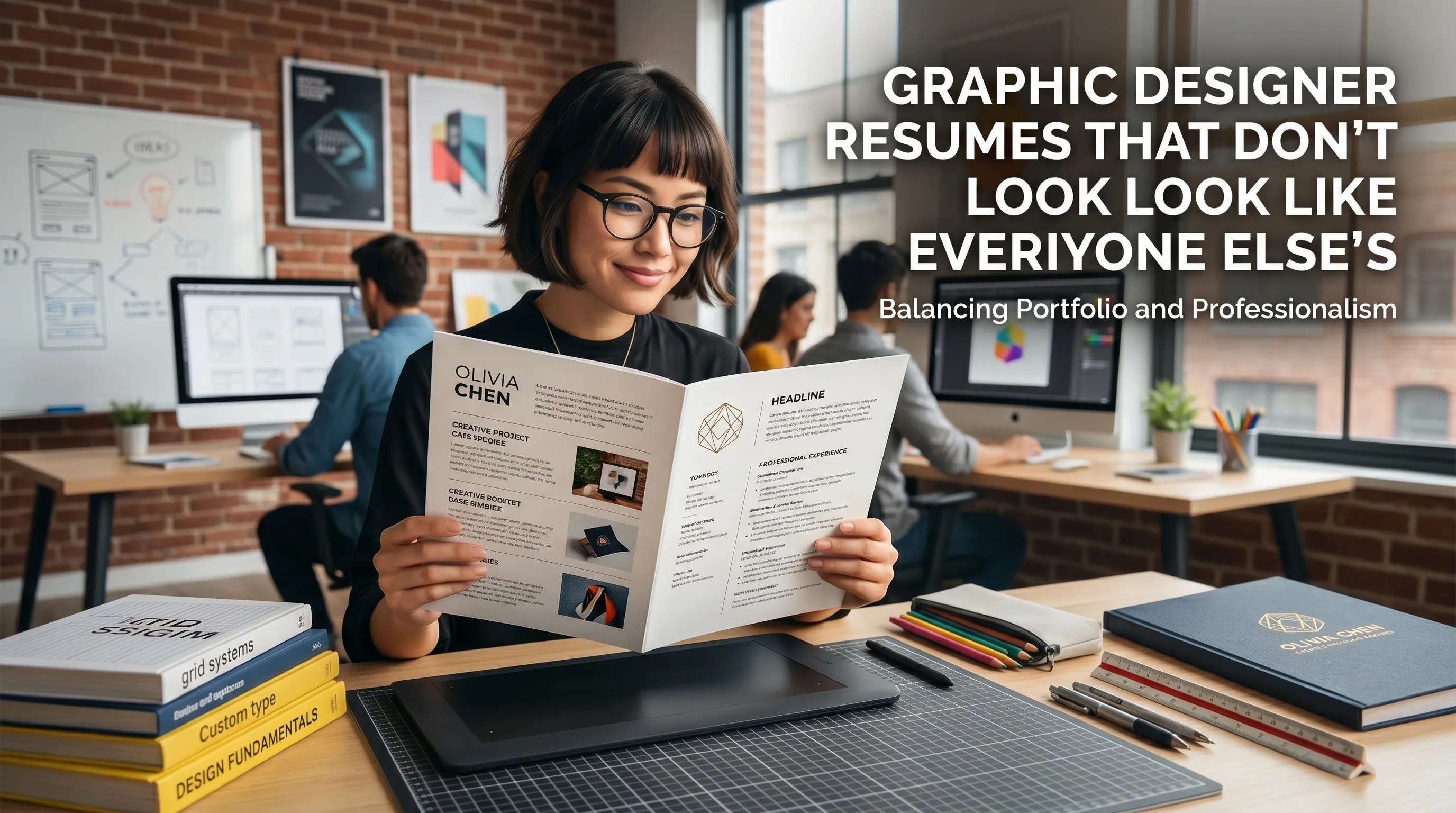
Your portfolio is where you show depth, experimentation, and personality; your resume is where you prove you can work inside constraints. Hiring managers and creative directors routinely say they want a resume they can skim quickly, print, annotate, and share with people who are not designers. That’s why many industry guides recommend treating your resume as part of a package—alongside your cover letter and portfolio—that communicates one consistent personal brand.
A good way to think about it: the resume earns the right for your portfolio to be opened. If your layout is confusing, full of tiny type, or missing a visible portfolio link, people bail before they ever see your best work.
The most common graphic‑designer resume mistakes
Design communities and hiring guides keep circling the same problems they see over and over.
- Over‑designed layouts that prioritize decoration over readability.
- Fonts set so small (or so light) that non‑designers can’t read them on a laptop.
- Portfolio links hidden in a corner or mentioned once in small text.
- Resumes that look beautiful but bury basic facts: what you did, for whom, and with what results.
Several career articles explicitly point out that graphic design resumes should still follow the same content rules as any other resume: clear sections, short summaries, and quantifiable achievements—not just a grid of software logos.
A structure that lets your work breathe
Most modern advice for creative roles suggests a clean, one‑page resume for mid‑level designers, with a second page only if you have substantial, directly relevant experience. The structure can be straightforward:
-
Header with personal brand and links
- Name, title (for example, “Brand & Digital Designer”), city, email, phone.
- Portfolio URL and Behance/Dribbble prominently placed—not just once in 9‑pt text.
-
2–3 line professional summary
- Who you are, your niche, and what you’re best at—in plain language, not buzzwords.
-
Core skills
- Split into clusters: tools (Figma, After Effects), disciplines (branding, UI), and soft skills (collaboration, presenting work).
-
Experience
- Reverse chronological: role, company, dates, 3–6 bullets with outcomes.
-
Selected projects / clients (optional)
- Short list pointing straight to specific portfolio pieces.
-
Education & extras
- Degrees, relevant courses, awards, talks, exhibitions.
Recruiters and creative leads often recommend skipping the old‑school “Objective” statement in favor of a sharp summary that actually says what kind of designer you are.
How creative vs professional your resume should look
There’s a spectrum between “plain corporate Word template” and “poster for a design conference.” The sweet spot depends on the role and the company, but common guidance looks like this:
- Agencies, studios, in‑house brand teams: you can be more expressive with typography, color, and layout—as long as readability and hierarchy are rock‑solid.
- Corporate or highly regulated environments: lean more toward a restrained layout; show your creative range in the portfolio and case studies.
LinkedIn and resume resources consistently say the resume must still feel professional: enough white space, consistent alignment, and clear hierarchy, with creativity used to enhance—not replace—structure.
Visual hierarchy: your quiet differentiator
Art directors reviewing designer resumes pay particular attention to how you handle hierarchy and spacing. They’re looking for:
- A clear reading path from name → title → summary → experience, using size, weight, and spacing.
- Careful use of bold, italics, and color to emphasize just a few key elements, not everything.
- Aligned grids and consistent spacing between sections and bullets.
One tip common in graphic design communities: “Design your resume as if the hiring team is the client.” That means you respect their constraints, use familiar patterns, and don’t let a clever layout get in the way of the brief—quickly understanding your experience.
Content: turning design work into business outcomes
Many designers get stuck listing responsibilities (“designed posters, banners, social posts”) without explaining impact. Hiring managers and recruiters repeatedly say they look for evidence—numbers, outcomes, or at least concrete results.
Example: weak vs strong bullets
| Version | Bullet | Why the strong version wins |
|---|---|---|
| Weak | “Designed social media graphics for campaigns.” | No scale, no results, every junior designer can say this.roberthalf+1 |
| Strong | “Designed a series of social media visuals for a three‑week campaign, helping increase engagement by 40% across Instagram and TikTok.”roberthalf | Shows scope, timeframe, channels, and a measurable outcome. |
| Weak | “Responsible for branding tasks.” | Vague, sounds passive and generic.foundit+1 |
| Strong | “Led visual refresh of the brand’s pitch deck and sales collateral, improving win‑rate on proposals from 18% to 26% over two quarters.”roberthalf+1 | Positions you as proactive and commercially aware. |
Guides for creative resumes emphasize coupling creative skills with business impact—click‑through rates, sign‑ups, sales, fundraising, or internal adoption—whenever you legitimately have the numbers.
How to feature your portfolio so no one misses it
One of the most painful things hiring managers describe is having to hunt for your portfolio link. In practice, links end up scattered: once in a tiny header, once in body text, maybe hidden in a cover letter footer.
A UX‑oriented recruiter wrote that the fastest way to ensure your work gets seen is to repeat your portfolio link in predictable places: header, contact section, and even in a short “Selected work” area.
Practical placement ideas:
- In the header:
hamedgolchin.com • Behance /hamed • Dribbble /hamed - In a “Selected work” subsection under experience:
- “Rebrand for XYZ – see case study: hamedgolchin.com/xyz‑rebrand”
Portfolio and career resources also suggest keeping the URL readable and human (your name or studio) instead of an obscure string full of numbers.
One resume, multiple “skins”
A lot of modern advice for graphic designers is to maintain two versions of your resume:
- Clean, text‑first version for online applications and any system that might parse your document.
- Visually richer version for sending directly to creative directors, bringing to portfolio reviews, or attaching in email once you’re already talking.
Robert Half, for example, recommends always having a text‑based resume ready for digital submissions, then using a more designed version when you know humans will be printing or viewing it directly. Hybrid‑resume articles for designers echo this: blend a minimalist core with subtle brand touches, and keep the wild experiments for your site.
Examples of subtle differentiation (that still feel professional)
You do not need a diagonal layout or neon gradients to look different. Career and portfolio guides point to quieter ways to stand out:
- Type pairing: Use one workhorse sans‑serif and one characterful serif for headings, with consistent sizing and spacing.
- Micro‑copy: Rename sections slightly (“Selected Work” instead of “Projects,” “Tools & Methods” instead of “Skills”) without losing clarity.
- System thinking: Use a consistent spacing system (for example, 4‑pt multiples) and stick to it everywhere.
- Case‑study teasers: Under each role, add a one‑line pointer to a key project: “Brand refresh for ABC – see case study.”
Design blogs and portfolio courses often say your ability to be restrained is, in itself, a signal of seniority and taste.
Final test: would you hire yourself off this resume?
Before you send anything, run three checks that hiring managers and portfolio coaches commonly recommend:
- The non‑designer test
- Show it to someone outside design: can they tell, in 30 seconds, what you do, what you’re good at, and where to click for your work?
- The print test
- Print it in black and white. Does it still read clearly, with hierarchy and enough contrast?
- The scan test
- Scroll through in five seconds. Do your name, title, top skills, recent role, and portfolio URL pop out immediately?
If those three tests are solid, you’re in the sweet spot: your resume looks like it belongs to a professional designer, doesn’t vanish into the sea of templates, and does the only real job that matters—getting someone curious enough to open your portfolio and start a conversation.